How to understand measure dependencies
The Measure lineage tab in Atoti Admin UI provides a visual and interactive overview of how measures are connected and derived within a cube. It helps users understand dependencies between measures, trace their origins, and inspect their attributes. This is useful for debugging, auditing, and optimizing measure logic.
How to view a measure
Use the measure selector in the top-left corner to choose a measure. Once selected:
- The measure is shown in the graph.
- Its attributes are displayed in the panel.
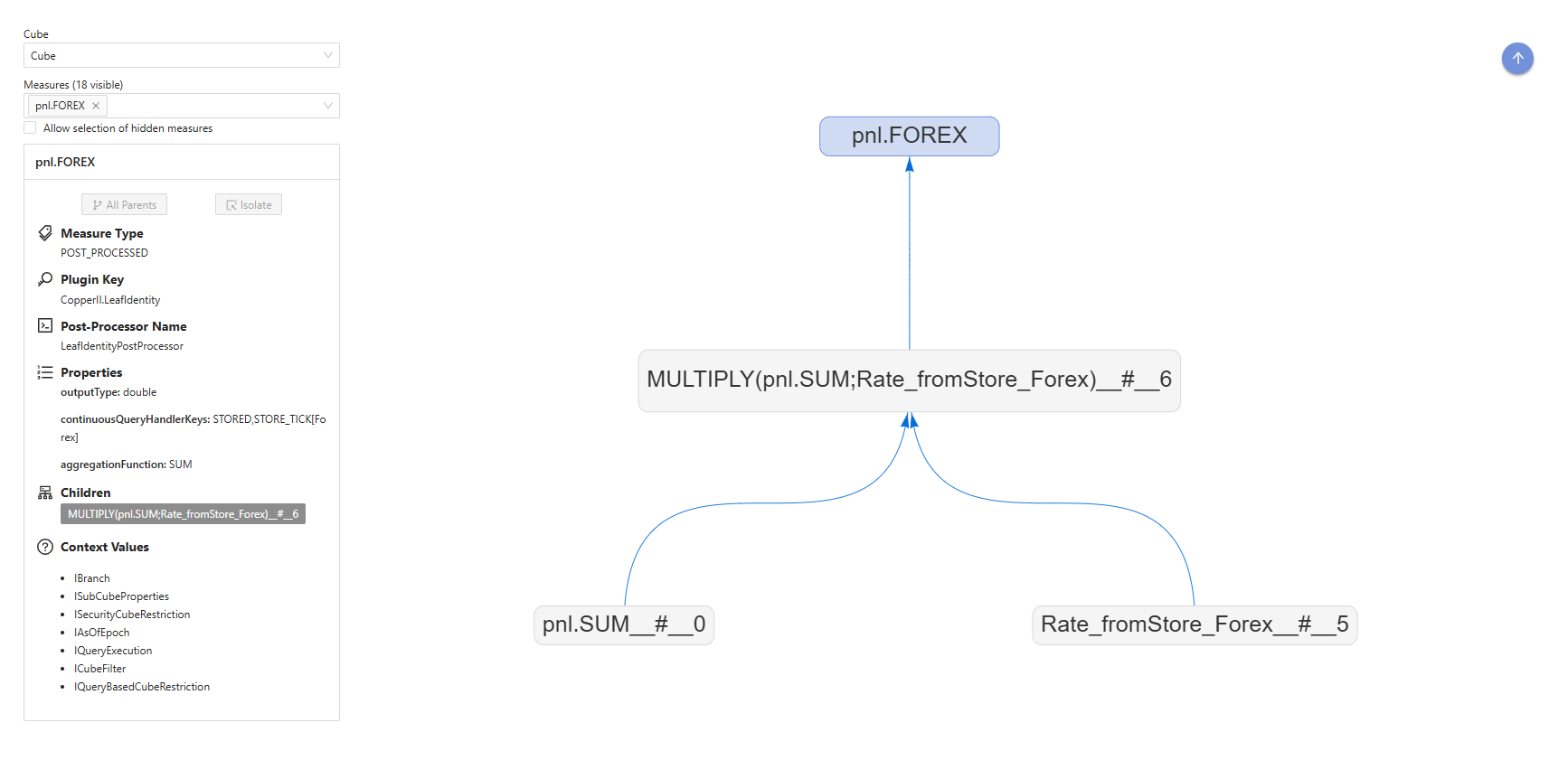
How to interpret measure attributes
The attributes displayed depend on the type of measure selected. There are 4 types of measure:
- HIDDEN MEASURE: Used in calculations but not visible in the UI
- RAW: An aggregation of the raw data, like
.SUM - NATIVE: Measures created by the Atoti system, like
update.TIMESTAMP - POST_PROCESSED: Measures created from combining any of the above or other post_processed measures
A measure created using Atoti's COPPER API will display as one of the four types above.
- Attributes for raw measure (created using
Copper.SUM, etc) indicate the datastore field used for the aggregation. - Attributes for post-processed measures (created using our legacy Post-processors or with
Copper.newPostProcessor):- Plugin key: The plugin used to create the measure
- Post-processor name: Name of the underlying post-processor class
- Properties:
- Output type: Data output format
- Continuous query handler keys: How post-processor measures are chained
- Context values: All external variables that can impact the way the measure is calculated.
How to explore measure relationships
The child and parent measures are displayed on the screen and listed in the attributes.
- Child measure: A measure used in the calculation of the target measure.
- Parent measure: A measure calculated using its child measures as inputs
The measure names are clickable. Click a name in the measure lineage diagram or in the parent or child list to navigate through the measure chain. The measure attributes update when you select a new measure.
Use the buttons at the top of the attributes list:
- All Parents: Add all the parents of the target measure
- Isolate: Remove all the measures apart from the target measure
Authorization
Authorization to access the measure lineage tab is managed at the endpoint level. This tab uses the Atoti Server Diagnostic endpoint. This endpoint is exposed by the Atoti Server starter